Getting started with Dzikir App
Dzikir App is free and has no ads. You can use almost everything as a guest, and sign in only when you want your data on several devices or want to use groups and Dzikir App AI.
Quick start
- Install Dzikir App from Google Play, the App Store, the Microsoft Store or the Snap Store, or open the web app at web.dzikirapp.com.
- On the first screen, choose your language and appearance if you like.
- Tap Sign in with Google, Sign in with Apple, or Continue as Guest.
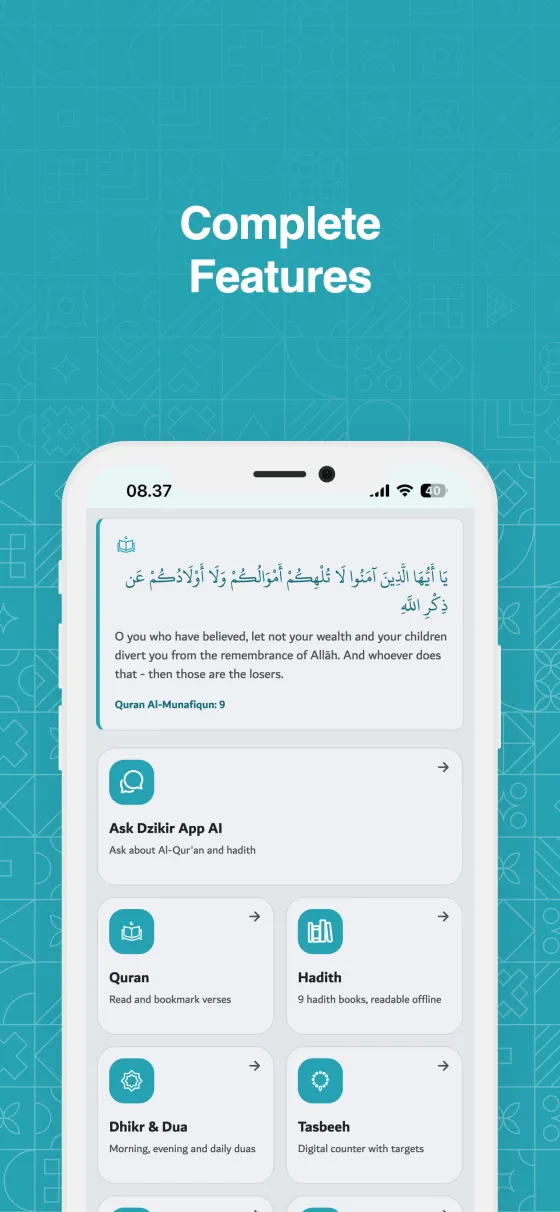
- You land on Home. Tap any tile to open a feature, or use the tabs at the bottom.
In detail
Guest or signed in
Both give you the same daily tools. The difference is where your data lives.
- As a guest, your counts, history and bookmarks are stored only on this device and can't be recovered if the app is deleted.
- When you sign in with Google or Apple, the data already on your device is synced to your account, so you can sign in later without losing anything.
- Groups and Dzikir App AI need sign-in.
- Sign in with Apple is available on iPhone, iPad, Mac and the web.
The bottom tabs
Five tabs are always one tap away.
- Quran: read and bookmark Al-Qur'an.
- Prayer: prayer times and the Qibla direction.
- Home, the button in the middle: your starting point.
- Dhikr & Dua: morning and evening dhikr and every dua list.
- Tasbeeh: the digital tasbih counter.
- Widgets: prayer times and today's dhikr on your home screen, on Android and iOS.
Home
Home shows a carousel of dhikr at the top, then tiles for every feature: Ask Dzikir App AI, Qibla, Quran, Hadith, Dhikr & Dua, Tasbeeh, Prayer Times and Groups.
- Each tile has a short hint underneath that tells you what it opens.
- Under More you find My Progress, Achievements and Settings.
- Back always brings you to the previous screen, and the Home button brings you back here.
Where Dzikir App runs
One app on every device: Android, iPhone and iPad, Mac, Windows, Linux and the web.
- The Qibla is only in the Android and iOS apps, since computers and browsers have no compass.
- The web app in a browser can't schedule reminders.
- Group notifications are delivered to the Android and iOS apps.
Tips
- Sign in before you change phones or reinstall the app, so your history comes with you.
- You can change the language and appearance at any time in Settings.
Frequently asked questions
Is Dzikir App really free?
Yes. Every feature is free and there are no ads.
Do I need an account?
No. Continue as Guest gives you the daily features. Sign in only for sync across devices, groups and Dzikir App AI.
Will I lose my guest data if I sign in later?
No. When you sign in, the data on your device is synced to your account.
Related pages
Still need help?
Questions, bug reports and feedback are welcome. Contact us from the Support page, or from Settings → Support and Help in the app.
Contact support© 2026 TIM SYAAP SYAAP All rights reserved.