How to use the digital tasbih
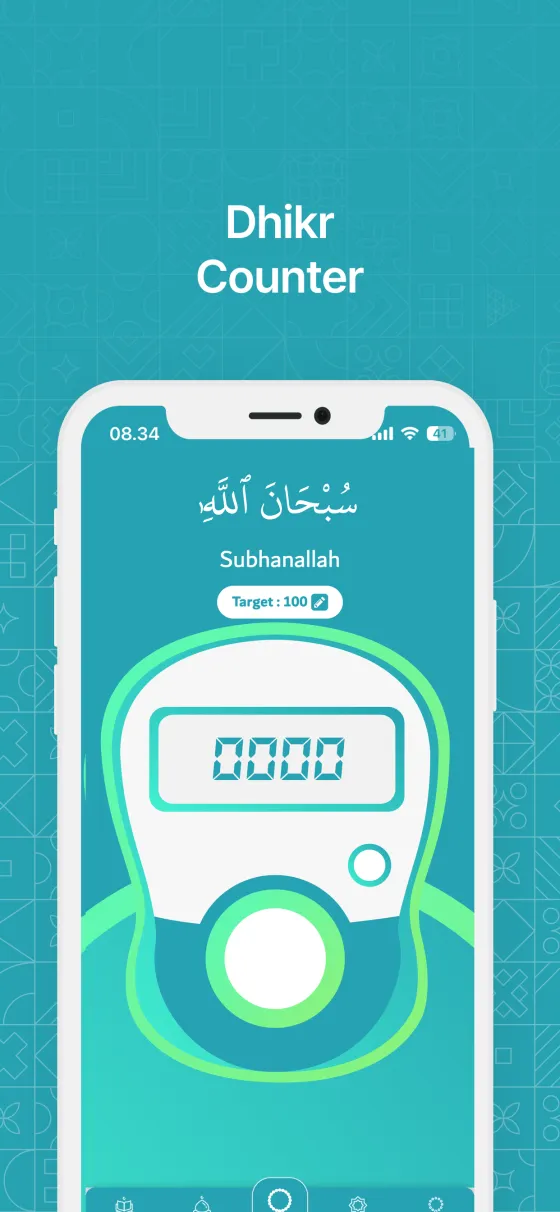
The Tasbeeh tab is a digital tasbih: tap to count each recitation, set a target, and let the app keep your daily history.
Quick start
- Open the Tasbeeh tab, or the Tasbeeh tile on Home.
- Tap a dhikr in the list. Five common dhikr are ready to use.
- Tap the large counter once for every recitation.
- When you reach the target, a sound plays and Alhamdulillah! appears. You can keep counting past the target.
In detail
Adding your own dhikr
Tap the round + button to open Add Tasbeeh.
- Title: the name of the dhikr, for example Astaghfirullah.
- Arabic Text: optional, shown above the counter.
- Target Count: how many times you want to recite it.
- Your own items have a ⋮ menu with Edit Tasbeeh and Delete Tasbeeh. The five built-in items can't be edited or deleted.
Targets and resetting
Every item has its own target.
- Tap the target under the counter to change it.
- The reset button asks you to confirm before setting the count back to zero.
- Counters start fresh every day, about an hour before Fajr when prayer times are loaded, otherwise at midnight. Your history is saved first.
Tasbeeh Settings
The gear button opens Tasbeeh Settings.
- Vibration: turn it on or off, and choose a Vibration Level from 1 to 3.
- Show Arabic Text and Show Latin Text: choose what appears above the counter.
Tasbeeh History
The Tasbeeh History card shows what you counted on past days.
- Filter by the last 7, 30 or 90 days, or a whole year.
- Your totals also feed My Progress and your achievement badges.
Counting for a group
If you are signed in and belong to a group, a Counting for picker appears above the list.
- Choose Me for your personal progress, or one of your groups.
- Each count goes to one place only, never both.
- If you already finished the same dhikr today somewhere else, Mark as done finishes it here with one tap. Undo stays available for a few seconds.
Tips
- Turn on vibration so you can count without looking at the screen.
- Give your own items an Arabic text so you can read along while counting.
- No app at hand? The free online tasbih on this website works in any browser.
Frequently asked questions
Why did my count go back to zero?
Counters start fresh every day, about an hour before Fajr. Yesterday's count is saved in Tasbeeh History.
Can I count more than the target?
Yes. The counter keeps going after the target. Reaching it is what counts as a completed target.
Why can't I delete some items?
The five built-in dhikr are always available and can't be edited or deleted. Items you add yourself can.
Related pages
Still need help?
Questions, bug reports and feedback are welcome. Contact us from the Support page, or from Settings → Support and Help in the app.
Contact support© 2026 TIM SYAAP SYAAP All rights reserved.