How to read Al-Qur'an and use Tajweed Mode
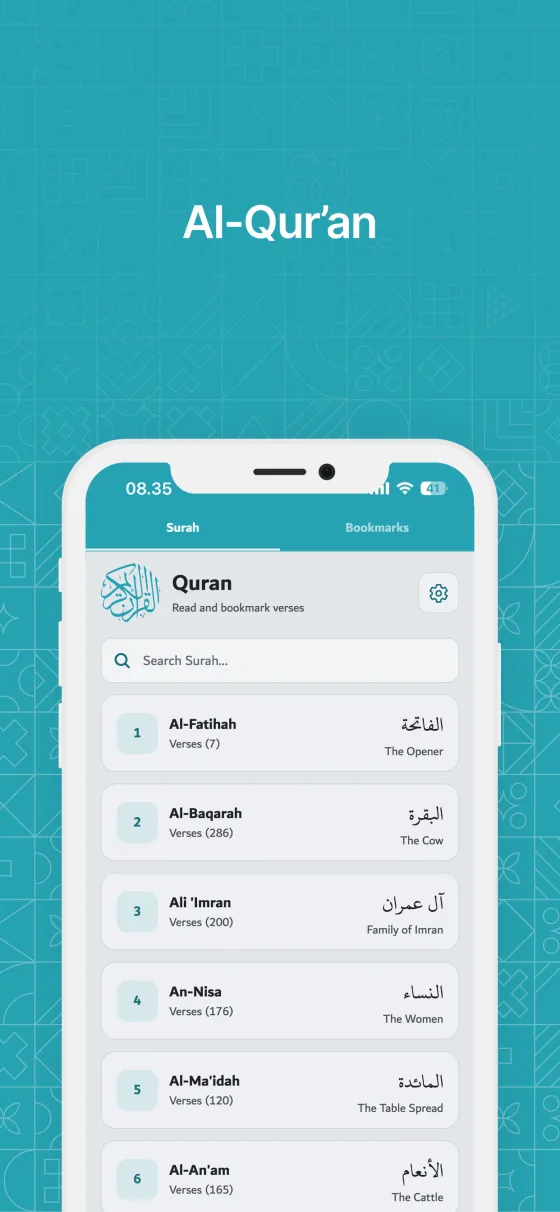
The Quran tab has the full Arabic text with translations in 18 languages, Latin transliteration in 10, color-coded Tajweed and bookmarks. After a one-time download it works without internet.
Quick start
- Open the Quran tab.
- The first time, tap the download button on the Download Al-Qur'an card.
- Choose a surah from the list.
- Scroll to read. Use Show navigation to move to the previous or next surah.
In detail
Offline download
To keep the app small, Al-Qur'an is downloaded once: the Arabic text plus the translation in your language.
- After that, reading works without internet.
- When you change the app language, its translation downloads automatically in the background.
- Manage translations and Latin transliteration in Settings → Downloads.
Quran Settings
The gear button on the surah list opens Quran Settings.
- View Mode: By Surah or By Juz.
- Arabic Writing Style: Uthmani or Indo-Pak.
- Arabic Font Size.
- Display Options: Show Page, Show Verse, Show Juz, Show Latin, Tajweed Mode and Show Translation.
Tajweed Mode
Tajweed Mode colors the Arabic text so recitation rules are easy to see. A Tajweed colors guide at the top of the reader explains each color.
- Silent letter.
- Normal madd (2), separated madd (2/4/6), connected madd (4/5) and necessary madd (6).
- Ghunnah and ikhfa'.
- Qalqala (echo) and tafkhim (heavy).
- Tajweed Mode works with the Uthmani script, not Indo-Pak.
Last read and Jump
The reader remembers where you stopped.
- The Last read card at the top of the Al-Qur'an screen opens the surah or juz at the verse you reached.
- Jump goes straight to a verse or a mushaf page.
- Share sends a verse with its translation.
- Your last read syncs to your other devices when you're signed in.
Bookmarks
Tap the bookmark icon on any verse to save it.
- After saving, you can give the bookmark a name.
- Find all your bookmarks in the Bookmarks tab, where you can rename or delete them.
- Add to group… shares a verse with one of your groups.
- Bookmarks show when you added them, and you can sort them by newest or by Al-Qur'an order.
Tips
- Reading for memorization? Hide the translation and turn on Show Page to follow the mushaf layout.
- Name your bookmarks, such as 'Last read' or 'For Friday', to find them faster.
- Dzikir App does not include audio recitation.
Frequently asked questions
Why can't I turn on Tajweed Mode?
Tajweed Mode only works with the Uthmani script. Switch Arabic Writing Style to Uthmani in Quran Settings.
Which translations are available?
Translations are available in 18 languages: English, Indonesian, Malay, French, Spanish, Portuguese, German, Dutch, Italian, Russian, Turkish, Simplified and Traditional Chinese, Japanese, Korean, Hindi, Urdu and Farsi.
Does it work without internet?
Yes, after the one-time download. Downloaded languages stay on your device.
How do I find verses about a topic?
Ask Dzikir App AI, for example "verses about patience". It answers only from the Al-Qur'an and hadith in the app and lists its sources, which open in the reader.
Still need help?
Questions, bug reports and feedback are welcome. Contact us from the Support page, or from Settings → Support and Help in the app.
Contact support© 2026 TIM SYAAP SYAAP All rights reserved.